In recent years, curved screen monitors have become increasingly popular among users who want a more immersive and realistic viewing experience. Unlike traditional flat displays, curved monitors are designed to match the natural shape of your eyes, creating a deeper sense of depth and engagement. Whether you’re gaming, streaming movies, editing content, or working from home, a high-quality curved monitor can make everything feel more dynamic and lifelike.
With a curved display, you can enjoy cinematic visuals, smoother gameplay, and enhanced focus—all from the comfort of your own home. The immersive design helps reduce distractions at the edges of the screen, making it perfect for entertainment, productivity, and even stress relief after a long day.
However, choosing the right curved monitor can be overwhelming. With so many brands, sizes, resolutions, and features available in today’s market, it’s easy to feel unsure about which one offers the best value. Don’t worry—we’ve done the research for you. Below, you’ll find a carefully selected list of the best curved screen monitors with high consumer ratings. We’ve also included helpful buying tips to guide beginners toward making the right choice.
Contents
What to Consider When Buying a Monitor
Choosing the right monitor can make a huge difference in your overall experience, whether you’re gaming, working, creating content, or just watching movies. Here are the key factors to think about before you buy:
🎯 1. Purpose & Use Case
- Gaming: Look for high refresh rates (120 Hz+), low response times (1 ms), and adaptive sync (FreeSync or G-Sync).
- Work/Productivity: A larger screen with higher resolution or ultrawide aspect ratio helps with multitasking and spreadsheets.
- Creative Work: Accurate color coverage (sRGB/Adobe RGB/DCI-P3) and an IPS panel are important for editing photos and video.
- General Use & Entertainment: Comfort, eye-care features, and balanced performance matter most.
🖥 2. Resolution & Screen Size
- 1080p (FHD): Affordable, works well on 24–27″ screens.
- 1440p (QHD): Sharper image, perfect for 27–34″ screens.
- Ultrawide/QHD UltraWide: Great for multitasking and cinematic gaming.
- Size: Bigger displays can increase immersion but require more desk space.
🔄 3. Refresh Rate & Response Time
- Refresh Rate: Higher refresh (120 Hz, 144 Hz, 240 Hz) means smoother motion—especially important in fast-paced games.
- Response Time: Lower (1 ms–4 ms) reduces blur and ghosting during movement.
🎨 4. Panel Type
- IPS: Best color and viewing angles — ideal for creatives and general use.
- VA: Stronger contrast and deep blacks — great for movies and balanced use.
- TN: Fast response, usually lower color quality — good for competitive gaming.
🔁 5. Adaptive Sync & Gaming Features
- FreeSync / G-Sync: Reduces tearing and stuttering.
- HDR: Enhances contrast and color depth in supported content.
- Game Modes: Presets like FPS/RTS can improve visibility in games.
🔌 6. Connectivity
Check for ports like:
- HDMI
- DisplayPort
- USB-C (for power delivery or docking)
- Audio out
More options = better flexibility with devices like laptops, consoles, and PCs.
👁 7. Eye Comfort & Design
- Eye Saver / Low Blue Light: Reduces eye strain during long sessions.
- Flicker-Free Tech: Prevents pulse flicker that can cause fatigue.
- Adjustable Stand: Height, tilt, swivel, and pivot make viewing more comfortable.
- VESA Mount Support: For wall or arm mounting.
💡 8. Budget & Value
- More expensive doesn’t always mean better for your needs.
- Decide what matters most (speed, size, color accuracy), and balance features with your budget.
- Look for warranties and reliable customer support.
📝 Final Tip
Before you buy, match the monitor’s strengths to how you plan to use it—whether that’s competitive gaming, creative tasks, remote work, or just relaxing with movies. The right fit feels like it was made just for you.
List of the 15 Best Curved Screen Monitors 2026







Other screen projector accessories
Best Portable Projector Screens | Home Theater Projectors | Smartphone Portable Monitors | Ultra-Wide Gaming Monitors | Phone Screen Magnifiers
15. SANSUI 34” Curved Gaming Monitor – 3440×1440 UWQHD, 165Hz, 1500R Immersive Display with FreeSync & HDR
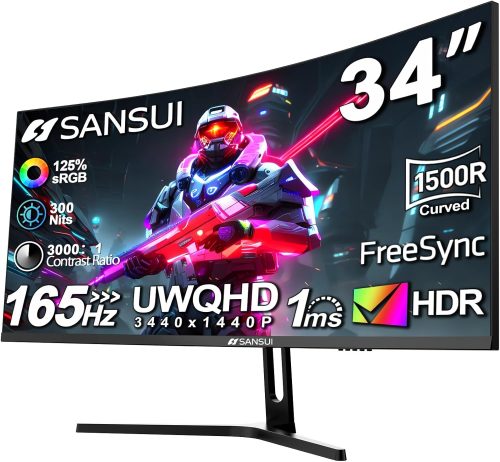
If you’re looking for a truly immersive gaming setup, this 34-inch wide monitor from SANSUI delivers a surprisingly strong performance. The 3440 x 1440 UWQHD resolution combined with a 1500R curve wraps around your field of vision, making racing, FPS, and open-world games feel more cinematic. The 165Hz refresh rate and 1ms MPRT response time ensure fluid motion with minimal blur, while FreeSync support helps eliminate screen tearing.
Color performance is another standout. With 125% sRGB and 95% DCI-P3 coverage, visuals appear vibrant and rich—ideal not just for gaming but also for content creation. Compared to other monitors in the same category, it competes well in motion clarity and color depth, though some rivals may offer built-in speakers. Unique touches like PIP/PBP multitasking and dual DP 1.4 ports add flexibility.
Overall, it offers excellent value for gamers, multi-taskers, and anyone upgrading to better productivity.
✅ Pros
✔️ Smooth 165Hz refresh rate for fluid gameplay
✔️ Immersive 1500R curved 34-inch wide display
✔️ Strong color coverage (125% sRGB, 95% DCI-P3)
✔️ FreeSync support reduces screen tearing
✔️ PIP/PBP multitasking feature
✔️ Dual DisplayPort 1.4 inputs
❌ Cons
❌ No built-in speakers
❌ HDMI limited to lower refresh rate compared to DP
❌ Stand offers tilt only (no height adjustment)
Final Verdict
Yes, I believe this monitor offers great value for money. It’s best suited for gamers who want immersive performance without stepping into premium-tier pricing. It’s also a solid choice for streamers, multitaskers, and creatives who benefit from the wide 21:9 aspect ratio.
14. LG 32” Curved FHD Monitor – 100Hz VA Display with AMD FreeSync, Black Stabilizer & OnScreen Control
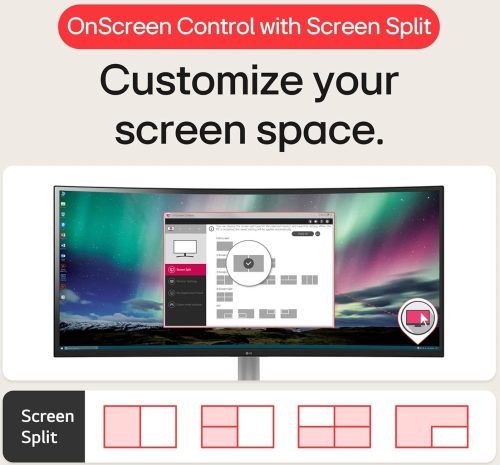
The LG 32MR50C-B is a solid choice if you want a larger curved display for work, streaming, and casual gaming. Its 32-inch Full HD (1920×1080) VA panel delivers deep contrast and vibrant colors, making movies and everyday tasks look sharp and engaging. The 100Hz refresh rate provides smoother motion than standard 60Hz monitors, reducing blur during scrolling or light gaming sessions.
AMD FreeSync support helps minimize screen tearing, while Dynamic Action Sync reduces input lag for more responsive gameplay. LG’s Black Stabilizer is a nice touch, brightening darker scenes so you can spot details more easily. OnScreen Control simplifies multitasking by allowing quick screen splits and adjustments without diving into complicated menus.
Compared to similar monitors in this category, it stands out for its user-friendly features and reliable color performance. It’s best suited for home offices, students, and casual gamers seeking comfort and smooth visuals.
✅ Pros
✔️ Large 32-inch curved screen for immersive viewing
✔️ Smooth 100Hz refresh rate
✔️ Strong contrast from VA panel
✔️ AMD FreeSync reduces screen tearing
✔️ Easy OnScreen Control for multitasking
✔️ Reader Mode helps reduce blue light strain
❌ Cons
❌ Full HD resolution may feel less sharp on a 32-inch screen
❌ Limited ergonomic adjustments (tilt only)
❌ No DisplayPort input
Final Verdict
Yes, this monitor offers good value for money. It’s ideal for users who want a big, comfortable curved screen for productivity, streaming, and light gaming without needing high-end competitive specs.
13. Dell 34” USB-C Curved Monitor S3425DW – 3440×1440 120Hz WQHD, FreeSync Premium, 99% sRGB, Built-In Speakers
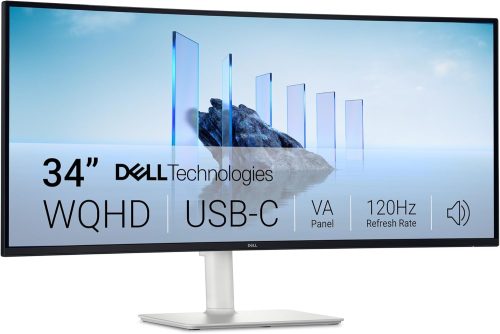
The Dell S3425DW is designed for professionals and casual gamers who want a clean, powerful setup. Its 34-inch 3440 x 1440 WQHD resolution delivers sharp detail across a spacious 21:9 display, making multitasking feel effortless. The VA panel offers a strong 3000:1 contrast ratio, producing deep blacks and rich colors, supported by 99% sRGB and 95% DCI-P3 coverage for impressive color accuracy.
With a 120Hz refresh rate and AMD FreeSync Premium, motion feels fluid and responsive—great for both productivity and light gaming. One standout feature is the USB-C connection with up to 65W power delivery, allowing you to power and connect a laptop using a single cable. Integrated speakers are also improved over previous generations, adding convenience.
Compared to similar monitors, it excels in connectivity and color performance. It’s ideal for remote workers, creatives, and multitaskers seeking simplicity and performance.
✅ Pros
✔️ Sharp 3440×1440 resolution
✔️ USB-C with 65W power delivery (single-cable setup)
✔️ Strong contrast and wide color coverage
✔️ Smooth 120Hz with FreeSync Premium
✔️ Integrated speakers with enhanced sound
✔️ ComfortView Plus reduces blue light
❌ Cons
❌ VA panel may have slightly narrower viewing angles than IPS
❌ 120Hz may not satisfy competitive esports gamers
❌ Larger footprint requires ample desk space
Final Verdict
Yes, this monitor offers very good value for money. It’s best suited for professionals, hybrid workers, content creators, and casual gamers who want a premium experience with simplified connectivity and reliable performance.
12. Samsung 27” Essential S3 Curved FHD Monitor (S36GD) – 100Hz 1800R Display with Game Mode & Eye Comfort Technology
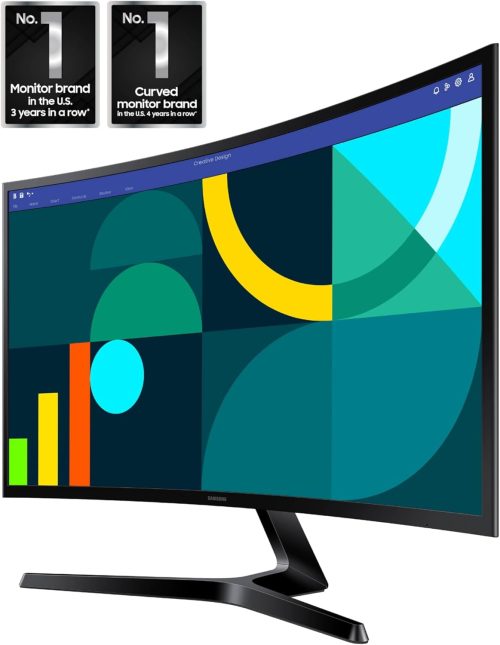
The Samsung Essential S3 27-inch curved monitor is built for users who want comfort, smooth visuals, and simple connectivity in one clean package. Its 1800R curved Full HD (1920×1080) screen creates a more engaging viewing experience by gently wrapping around your field of vision. Whether you’re working, streaming, or casually gaming, the 100Hz refresh rate keeps motion fluid and reduces blur compared to traditional 60Hz displays.
Game Mode is a practical addition, enhancing contrast and color visibility so darker scenes appear clearer. This can make a noticeable difference in fast-paced games. Samsung also prioritizes comfort with TÜV-certified eye care features that reduce blue light and screen flicker, helping minimize eye strain during long sessions.
Compared to others in this category, it stands out for its immersive curve and reliable visual performance. It’s best suited for students, home office users, and casual gamers wanting dependable everyday performance.
✅ Pros
✔️ Immersive 1800R curved 27-inch display
✔️ Smooth 100Hz refresh rate
✔️ Game Mode enhances visibility in darker scenes
✔️ TÜV-certified eye comfort features
✔️ HDMI and D-sub connectivity options
✔️ Slim, modern design
❌ Cons
❌ Full HD resolution may feel basic for advanced creators
❌ Limited ergonomic adjustments (tilt only)
❌ No advanced gaming features like higher refresh tiers
Final Verdict
Yes, this monitor offers good value for money. It’s ideal for everyday users, students, and casual gamers who want a comfortable curved screen with smoother performance than standard entry-level monitors.
11. Sceptre 24” Curved Gaming Monitor – 1080p FHD R1500 Display with 75Hz, 98% sRGB & Built-In Speakers (C248W-1920RN)
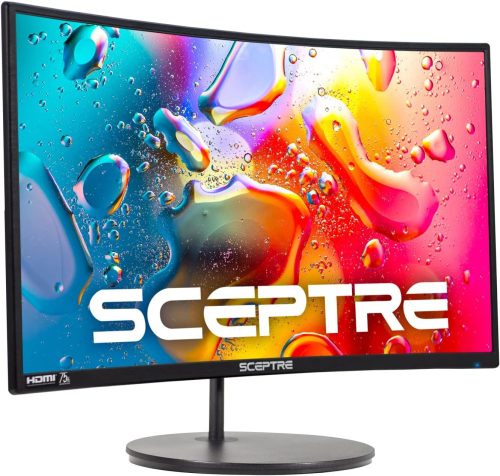
If you’re searching for an affordable curved gaming monitor, the Sceptre 24-inch R1500 model delivers impressive basics without overcomplicating things. The Full HD 1080p VA panel provides solid contrast and up to 98% sRGB coverage, offering vibrant colors for gaming, streaming, and everyday tasks. Its 1500R curvature enhances immersion by subtly wrapping visuals around your field of view, which feels engaging for both games and movies.
With a 75Hz refresh rate, motion is smoother than standard 60Hz screens, making casual gaming more enjoyable. While it doesn’t target competitive esports players, it performs reliably for entry-level gaming. Built-in speakers add convenience, and HDMI plus VGA inputs ensure compatibility with older and newer devices. It’s also VESA mount ready for flexible setup options.
Compared to others in this range, it stands out for its curved design and color coverage. It’s ideal for students, budget gamers, and home office users.
✅ Pros
✔️ Immersive 1500R curved display
✔️ 98% sRGB color coverage
✔️ Built-in speakers for convenience
✔️ HDMI and VGA connectivity
✔️ VESA wall mount compatible
✔️ Smooth 75Hz refresh rate
❌ Cons
❌ Not designed for high-refresh competitive gaming
❌ Basic stand with limited adjustment
❌ Moderate brightness compared to premium models
Final Verdict
Yes, this monitor offers strong value for money. It’s best suited for budget-conscious users who want a curved display for casual gaming, schoolwork, or home office use without investing in high-end gaming features.
10. Samsung 27” CF39 Curved FHD Monitor – 1800R Ultra-Slim Display with AMD FreeSync, 4ms Response & Eye Saver Mode
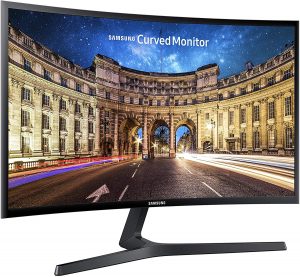
The Samsung CF39 Series 27-inch curved monitor blends style and performance into a sleek everyday display. Its 1800R curved Full HD (1920×1080) screen creates a more immersive viewing experience, gently wrapping visuals around your field of vision. The ultra-slim profile—measuring under half an inch thick—adds a modern touch that looks clean on any desk.
Performance-wise, AMD FreeSync helps reduce screen tearing and stuttering during gameplay, while the 4ms response time keeps motion relatively sharp and smooth. The VA panel’s 3000:1 contrast ratio delivers deep blacks and bright highlights, supported by Samsung’s Active Crystal Color for vivid visuals. Eye Saver Mode and flicker reduction technology help minimize strain during long sessions.
Compared to similar monitors in this category, it stands out for its elegant design and strong contrast performance. It’s well suited for home users, office professionals, and casual gamers seeking smooth visuals in a stylish package.
✅ Pros
✔️ Immersive 1800R curved display
✔️ Ultra-slim, modern design
✔️ AMD FreeSync support
✔️ Strong 3000:1 contrast ratio
✔️ Eye Saver Mode reduces blue light
✔️ HDMI and DisplayPort connectivity
❌ Cons
❌ 60Hz refresh rate limits competitive gaming
❌ Tilt-only stand adjustment
❌ Full HD resolution may feel stretched at 27 inches
Final Verdict
Yes, this monitor offers good value for money. It’s best for users who prioritize sleek design, comfortable viewing, and smooth everyday performance over high-refresh competitive gaming features.
9. LG UltraGear 34” Curved WQHD Gaming Monitor (34G600A-B) – 160Hz, 1ms MBR, FreeSync Premium, HDR10, HDMI 2.1
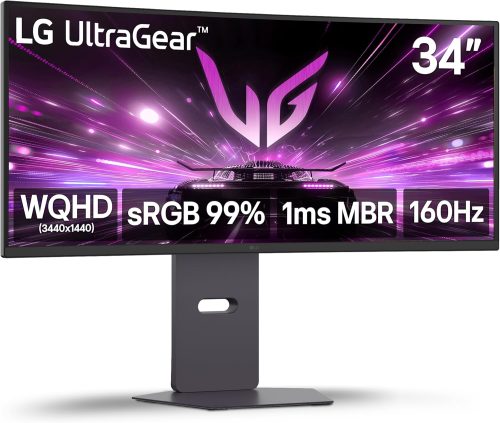
The LG UltraGear 34G600A-B is built for gamers who want immersive performance with serious speed. Its 34-inch 3440 x 1440 WQHD resolution paired with an 1800R curve expands your field of view, making racing sims, FPS titles, and open-world games feel more cinematic. The 160Hz refresh rate keeps motion fluid, while 1ms Motion Blur Reduction sharpens fast-paced action for clearer tracking.
AMD FreeSync Premium helps eliminate tearing and stuttering, even during HDR gameplay. With HDR10 support and up to 99% sRGB coverage, colors look vivid and balanced, making it suitable for both gaming and creative tasks. HDMI 2.1 connectivity adds modern compatibility, and the fully adjustable stand (tilt, height, swivel) improves ergonomic comfort.
Compared to other monitors in this segment, it stands out for its high refresh rate and connectivity options. It’s ideal for competitive gamers, streamers, and multitaskers seeking performance and immersion.
✅ Pros
✔️ 160Hz refresh rate for ultra-smooth gameplay
✔️ 1ms Motion Blur Reduction for sharp visuals
✔️ Immersive 34” 1800R display
✔️ HDR10 with up to 99% sRGB color coverage
✔️ HDMI 2.1 and DisplayPort connectivity
✔️ Fully adjustable stand (tilt, height, swivel)
✔️ Built-in speakers for added convenience
❌ Cons
❌ VA panel may show slight motion smearing in dark scenes
❌ Large size requires substantial desk space
❌ HDR performance not at premium HDR display levels
Final Verdict
Yes, this monitor offers excellent value for money. It’s best suited for serious gamers and content creators who want fast refresh rates, immersive visuals, and flexible connectivity without stepping into ultra-premium territory.
8. Samsung Odyssey G9 49” DQHD Curved Gaming Monitor (G91F) – 32:9 Dual QHD, 144Hz, DisplayHDR 600, FreeSync Premium Pro
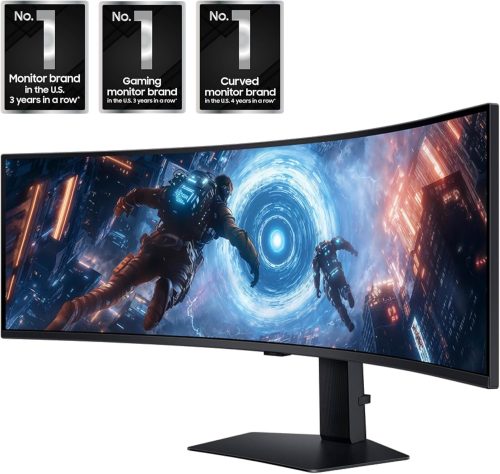
The Samsung Odyssey G9 (G91F) is built for gamers who want total immersion. Its massive 49-inch Dual QHD (5120 x 1440) resolution stretches across a 32:9 aspect ratio—the equivalent of two 27-inch QHD monitors side by side. The dramatic 1000R curvature wraps tightly around your field of view, pulling you straight into racing sims, competitive shooters, and expansive RPG worlds.
Performance is equally impressive. A 144Hz refresh rate and 1ms response time keep gameplay fluid and responsive, while AMD FreeSync Premium Pro minimizes tearing and stutter, even in HDR scenes. DisplayHDR 600 enhances contrast with brighter highlights and deeper blacks, revealing more detail in dark environments.
Compared to other super monitors, the G9 stands out for its aggressive curve and strong HDR capability. It’s ideal for competitive gamers, sim racers, streamers, and multitaskers who want a single, commanding display.
✅ Pros
✔️ Massive 49” 32:9 super display
✔️ Sharp Dual QHD (5120×1440) resolution
✔️ Immersive 1000R curvature
✔️ 144Hz with 1ms response time
✔️ DisplayHDR 600 for enhanced contrast
✔️ FreeSync Premium Pro for tear-free gaming
✔️ Picture-in-Picture and split-screen support
✔️ Ergonomic adjustable stand
❌ Cons
❌ Requires significant desk space
❌ Demands a powerful GPU for full performance
❌ Premium-tier size may be excessive for casual users
Final Verdict
Yes, this monitor offers strong value within the super wide category. It’s best suited for serious gamers, simulation enthusiasts, and productivity power users who want maximum immersion and multitasking capability from a single expansive screen.
7. Sceptre 27” Curved FHD Gaming Monitor – R1500 1080p Display, 75Hz, 98% sRGB, Built-In Speakers (C278W-1920RN)
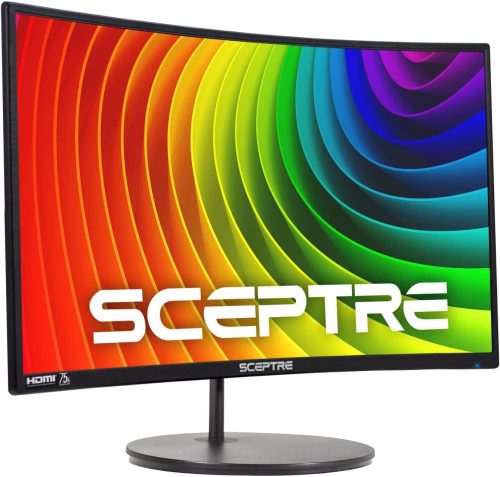
The Sceptre 27-inch R1500 curved monitor offers an immersive experience for users who want a larger screen without stepping into high-end pricing. Its 1500R curvature gently wraps visuals around your field of view, making gaming and movie watching feel more engaging. The Full HD 1080p resolution delivers clear visuals, while 98% sRGB coverage provides richer, more defined colors than many standard entry-level monitors.
With a 75Hz refresh rate, motion appears smoother than traditional 60Hz displays, helping reduce minor stutter during casual gaming. Custom FPS and RTS modes optimize contrast and visibility for different play styles, which is a thoughtful touch at this level. Blue Light Shift technology supports longer sessions with reduced eye strain.
Compared to similar monitors in this range, it stands out for its color performance and built-in speakers. It’s ideal for students, home offices, and casual gamers.
✅ Pros
✔️ Immersive 1500R curved design
✔️ 98% sRGB for richer color output
✔️ Smooth 75Hz refresh rate
✔️ Built-in speakers save desk space
✔️ FPS and RTS preset gaming modes
✔️ Blue Light Shift for eye comfort
✔️ VESA wall mount compatible
❌ Cons
❌ Not suitable for competitive high-refresh gaming
❌ Full HD resolution may feel stretched at 27 inches
❌ Basic stand with limited adjustment options
Final Verdict
Yes, this monitor offers solid value for money. It’s best suited for everyday users and casual gamers who want a larger curved screen with decent color performance and convenient built-in features without investing in premium gaming hardware.
6. Sceptre 27” Curved Full HD Monitor – 1800R 1080p LED Display, 75Hz, HDMI/DisplayPort/VGA with Built-In Speakers (C278W-1920R)
The Sceptre C278W-1920R is a 27-inch curved monitor designed for users who want a larger, immersive display at an accessible level. Its pronounced 1800R curvature enhances depth perception, making movies, browsing, and casual gaming feel more engaging. The Full HD 1080p resolution delivers clear visuals for everyday tasks, while wide 178-degree viewing angles help maintain consistent picture quality from different positions.
A 75Hz refresh rate offers smoother motion than standard 60Hz monitors, and the 5ms response time keeps everyday visuals responsive. Connectivity is a strong point here, with HDMI, DisplayPort, and VGA inputs providing flexibility for both modern and older devices. Built-in speakers add convenience for minimalist setups.
Compared to similarly sized monitors in this segment, it stands out for its aggressive curve and multiple input options. It’s best suited for home office users, students, and casual gamers seeking an affordable large-screen experience.
✅ Pros
✔️ Immersive 1800R curved design
✔️ Smooth 75Hz refresh rate
✔️ Multiple connectivity options (HDMI, DP, VGA)
✔️ Built-in speakers
✔️ Wide 178° viewing angles
✔️ Ultra-thin metallic design
❌ Cons
❌ 5ms response time not ideal for competitive gaming
❌ Full HD resolution may appear less sharp at 27 inches
❌ Limited ergonomic adjustments
Final Verdict
Yes, this monitor offers good value for money. It’s ideal for users who want a large curved screen for productivity, streaming, and light gaming without paying for advanced high-refresh gaming features.
5. Dell UltraSharp U3419W 34” Curved IPS Monitor – WQHD 3440×1440 with USB-C 90W Power Delivery & PIP/PBP
The Dell UltraSharp U3419W is built for professionals who prioritize screen space, color accuracy, and streamlined connectivity. Its 34-inch 3440 x 1440 WQHD resolution provides sharp detail across a spacious wide canvas, ideal for multitasking, video editing, and spreadsheet-heavy workflows. The gentle curve enhances your field of view while helping maintain consistent visual focus across the screen.
As an IPS panel, it delivers accurate colors and stable viewing angles, making it well suited for creative tasks. One standout feature is USB-C with up to 90W power delivery, allowing you to connect and charge a laptop using a single cable—perfect for a clean desk setup. PIP and PBP modes further boost productivity by displaying content from two sources simultaneously.
Compared to similarly sized professional monitors, it excels in connectivity and power delivery. It’s best for business users, designers, and remote professionals who value efficiency over high refresh gaming.
✅ Pros
✔️ Sharp 3440×1440 resolution
✔️ IPS panel with accurate color reproduction
✔️ USB-C with 90W power delivery
✔️ PIP and PBP multitasking features
✔️ Comfortable curved design
✔️ Professional, premium build quality
❌ Cons
❌ 60Hz refresh rate not suited for gaming
❌ Premium positioning compared to entry ultrawides
❌ Larger footprint requires spacious desk
Final Verdict
Yes, this monitor offers strong value for professionals. It’s ideal for office users, creatives, and remote workers who want a high-quality display with excellent connectivity and productivity-focused features.
4. Samsung 27” Essential S3 Curved LED Monitor – FHD 1800R, 100Hz, Game Mode & Eye Comfort with Dual Ports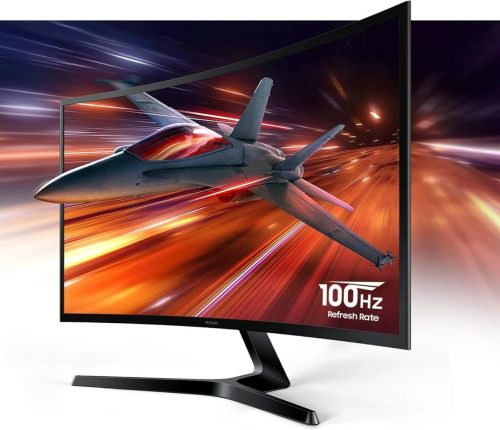
The Samsung Essential S3 27-inch curved monitor is designed for users who want smooth performance and comfortable viewing in an everyday setup. Its 1800R curved Full HD (1920×1080) display gently wraps around your field of vision, creating a more immersive experience whether you’re working, streaming, or gaming. The 100Hz refresh rate provides noticeably smoother motion than standard 60Hz screens, helping reduce blur during fast-moving scenes.
Game Mode enhances visibility by adjusting contrast and color, making darker areas clearer and improving overall clarity. For long sessions, Eye Saver Mode and flicker reduction technology help minimize strain and fatigue. With HDMI and D-Sub ports, it supports both modern and older devices, adding flexibility.
Compared to other entry-level curved monitors, it stands out for its balanced feature set and reliable visual comfort. It’s best suited for students, home office users, and casual gamers.
✅ Pros
✔️ Immersive 1800R curved 27-inch display
✔️ Smooth 100Hz refresh rate
✔️ Game Mode enhances contrast and visibility
✔️ Eye Saver Mode reduces blue light strain
✔️ Dual connectivity options (HDMI & D-Sub)
✔️ Clean, minimalist design
❌ Cons
❌ Full HD resolution may feel less sharp at 27 inches
❌ Limited ergonomic adjustments (tilt only)
❌ Not intended for high-refresh competitive gaming
Final Verdict
Yes, this monitor offers solid value for money. It’s ideal for everyday productivity, streaming, and light gaming, especially for users who want a curved screen with smoother performance and eye comfort features.
3. Acer Nitro 31.5” Curved FHD Gaming Monitor – 1500R 165Hz, 1ms VRB, FreeSync Premium (EDA320Q PBIIPX)
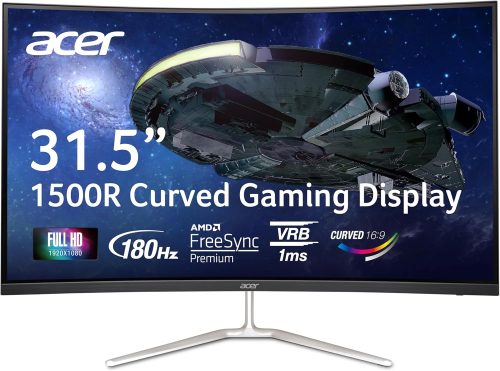
The Acer Nitro EDA320Q PBIIPX is built for gamers who want a large, immersive screen with fast performance. Its 31.5-inch Full HD (1920×1080) VA panel combined with a 1500R curve creates a more engaging field of view, especially for racing, sports, and action titles. The high refresh rate—up to 165Hz—delivers fluid motion, while 1ms VRB (Visual Response Boost) helps reduce blur during fast-paced scenes.
AMD FreeSync Premium minimizes screen tearing and stuttering, providing smoother gameplay when paired with compatible graphics cards. The VA panel offers solid contrast, producing deeper blacks compared to many IPS displays in this range. Connectivity is flexible with DisplayPort and dual HDMI inputs, and it’s VESA mount compatible for customized setups.
Compared to similarly sized monitors in this category, it stands out for its combination of screen size and high refresh rate. It’s ideal for console gamers, PC gamers, and users wanting a cinematic gaming experience.
✅ Pros
✔️ Large 31.5” immersive 1500R curved display
✔️ Up to 165Hz refresh rate for smooth gameplay
✔️ 1ms VRB reduces motion blur
✔️ AMD FreeSync Premium support
✔️ Strong VA contrast performance
✔️ VESA mount compatible
❌ Cons
❌ Full HD resolution may appear less sharp at 31.5 inches
❌ Limited ergonomic adjustments (tilt only)
❌ HDMI 1.4 limits highest refresh rates compared to DP
Final Verdict
Yes, this monitor offers very good value for money. It’s best suited for gamers who want a large curved display with high refresh performance without moving into premium ultrawide or QHD pricing tiers.
2. Z-EDGE 27” Curved 280Hz Gaming Monitor – FHD 1500R Display, 1ms MPRT, FreeSync & 4000:1 Contrast (UG27P)
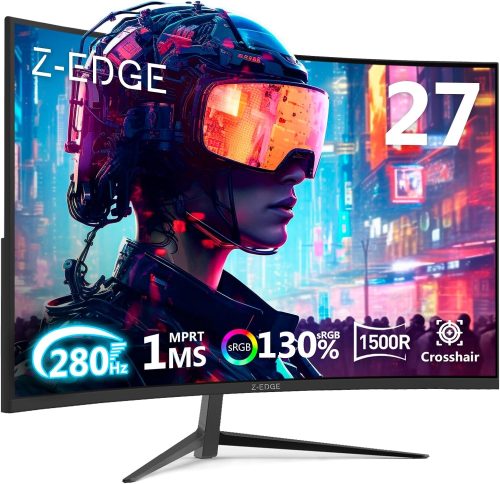
The Z-EDGE UG27P is built for speed-focused gamers who want ultra-smooth gameplay without stepping into premium price tiers. Its 27-inch Full HD (1920×1080) panel features an aggressive 1500R curve, creating a more immersive feel by expanding your peripheral view. The standout feature here is the high refresh rate—up to 280Hz via DisplayPort—paired with a 1ms MPRT response time, delivering crisp motion and minimal blur in competitive titles.
With a strong 4000:1 contrast ratio and 350 nits brightness, dark scenes appear deeper and highlights pop with clarity. FreeSync support helps reduce tearing and stutter during fast-paced matches. Connectivity is generous, offering dual DisplayPort and dual HDMI inputs for multi-device setups.
Compared to others in this category, it excels in refresh rate performance and contrast. It’s ideal for esports players, FPS enthusiasts, and gamers prioritizing speed and responsiveness.
✅ Pros
✔️ Ultra-fast 280Hz refresh rate (via DP)
✔️ 1ms MPRT for reduced motion blur
✔️ Immersive 1500R curved design
✔️ Strong 4000:1 contrast ratio
✔️ Dual DP and dual HDMI connectivity
✔️ VESA mount compatible
❌ Cons
❌ Full HD resolution may feel stretched at 27 inches
❌ High refresh performance requires a powerful GPU
❌ Limited ergonomic stand adjustments
Final Verdict
Yes, this monitor offers excellent value for competitive gamers. It’s best suited for players who prioritize extremely high refresh rates and responsive gameplay over higher resolution displays.
1. ASUS 27” Full HD IPS Eye Care Monitor (VA279HG) – 120Hz, 1ms MPRT, Adaptive-Sync, 99% sRGB Frameless Display
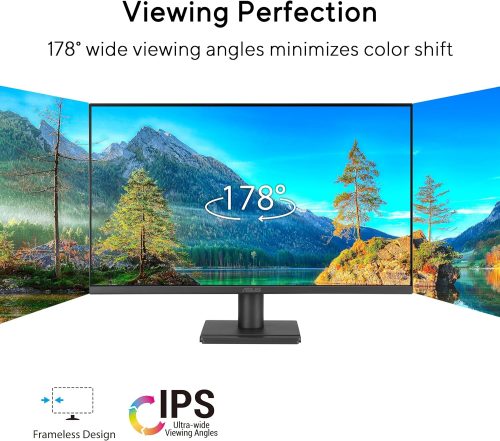
The ASUS VA279HG is a well-balanced 27-inch monitor designed for smooth visuals and long viewing comfort. Its Full HD (1920×1080) IPS panel delivers accurate colors with 99% sRGB coverage and wide 178° viewing angles, making it suitable for both work and entertainment. The frameless design gives it a modern look and works especially well in multi-monitor setups.
With a 120Hz refresh rate and 1ms MPRT, motion appears fluid and responsive, outperforming traditional 60Hz office monitors. Adaptive-Sync support helps reduce screen tearing during light gaming sessions. ASUS also integrates Low Blue Light and Flicker-Free technology to minimize eye strain during extended use. The DisplayWidget Center software simplifies on-screen adjustments, which adds to the user-friendly experience.
Compared to others in this category, it stands out for combining IPS color accuracy with a higher refresh rate. It’s ideal for students, home office users, and casual gamers.
✅ Pros
✔️ IPS panel with 99% sRGB color accuracy
✔️ Smooth 120Hz refresh rate
✔️ 1ms MPRT with Adaptive-Sync support
✔️ Frameless modern design
✔️ Low Blue Light and Flicker-Free technology
✔️ VESA wall mount compatible
✔️ 3-year warranty
❌ Cons
❌ Full HD resolution may feel less sharp at 27 inches
❌ Limited ergonomic adjustments (tilt only)
❌ Not intended for high-end competitive esports
Final Verdict
Yes, this monitor offers excellent value for money. It’s best suited for users who want accurate colors, smoother-than-standard performance, and strong eye-care features in an affordable, everyday display.
FAQs
- Can curved screen monitors be cleaned?
Yes, but you need to be careful. The monitor screen is fragile and delicate. This is why be gentle while cleaning it. For the best results, use a soft microfiber cloth and smoothly wipe out the dust.
- Do curved screen monitors reduce eyestrain as compared to their flat counterparts?
Yes, they do. Usually, curved screen monitors are designed according to the natural curvature of the person. Thus, they let you spend long hours at the monitor without feeling any fatigue in the eyes. Plus, they offer immersive viewing from every angle of the room.
- Do these screen monitors are meant just for gaming?
Not really. From film watching to graphics designing, you can use these curved monitors for many different purposes. The interesting thing is that they ensure a comfortable experience no matter what purpose you’re using them for.
Conclusion
Choosing the best curved screen monitor in 2026 ultimately comes down to your specific needs, budget, and how you plan to use it. Whether you’re looking for a high-refresh-rate display for competitive gaming, an ultrawide screen for multitasking, or a color-accurate panel for creative work, today’s curved monitors offer something for everyone.
The immersive design of a curved display can transform the way you experience content—making games feel more engaging, movies more cinematic, and everyday tasks more comfortable. With advancements in resolution, refresh rates, adaptive sync technology, and eye-care features, modern curved monitors are more capable and affordable than ever before.
Before making your final decision, consider key factors such as screen size, resolution, panel type, refresh rate, connectivity options, and ergonomic design. Investing in the right monitor isn’t just about upgrading your setup—it’s about enhancing your overall viewing experience for years to come.
We hope this guide to the 15 best curved screen monitors in 2026 helps you confidently choose the perfect display for your home or office.
Last update on 2026-03-26 / Affiliate links / Images from Amazon Product Advertising API